Mastering KDP Interior Dot Grid Paper for Your Publishing Needs
Whether you're a seasoned author, an aspiring writer, or a creative professional, the right interior layout can make a significant difference in the quality and appeal of your book. One popular choice for many is KDP Interior Dot Grid Paper. This type of paper provides a subtle grid pattern that helps with alignment and design, making it a versatile option for various publishing projects. Let's dive into why this format is so appealing and how to avoid common pitfalls when using it.
Understanding KDP Interior Dot Grid Paper
KDP Interior Dot Grid Paper is a specific type of layout used in self-publishing, particularly on Amazon's Kindle Direct Publishing (KDP) platform. The dot grid pattern offers a clean, minimalistic background that can be incredibly useful for planners, journals, sketchbooks, and more. Unlike traditional lined or graph paper, dot grids are less intrusive, allowing for a more natural and flexible writing or drawing experience.
Why Choose KDP Interior Dot Grid Paper?
- Versatility: Suitable for a wide range of uses, from note-taking to detailed illustrations.
- Professional Appearance: Provides a clean, organized look without overwhelming the page.
- User-Friendly: Easier to use than traditional lines or grids, especially for beginners.
Avoiding Common Mistakes with KDP Interior Dot Grid Paper
While KDP Interior Dot Grid Paper is a fantastic tool, there are some common mistakes that can detract from its effectiveness. Here are a few key areas to watch out for:
Mistake 1: Ignoring Page Size and Bleed Settings
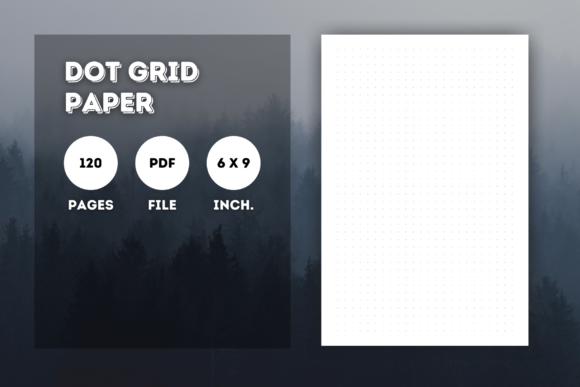
One of the most frequent errors is not paying attention to the page size and bleed settings. For instance, if you're using a 6" x 9" format, ensure that your PDF file is set to these exact dimensions. Additionally, since no bleed is required, make sure your content fits within the printable area to avoid any unwanted cropping or misalignment.
Better Approach: Verify Your Document Settings
Before finalizing your document, double-check the page size and margins. Use a template or a pre-set document setting to ensure accuracy. Most design software, like Adobe InDesign or Canva, offer these options. If you're unsure, refer to the KDP guidelines for specific instructions.
Mistake 2: Overlooking File Quality and Resolution
Another common mistake is neglecting the quality and resolution of your PDF file. Low-resolution images or poorly formatted text can make your book look unprofessional. Ensure that all elements, including graphics and fonts, are high-quality and properly embedded in the PDF.
Better Approach: Optimize Your File for Print
Use high-resolution images (at least 300 DPI) and embed all fonts to prevent any issues during the printing process. Test your PDF on different devices to ensure it looks consistent across platforms. Tools like Adobe Acrobat Pro can help you check and optimize your PDF for print.
Mistake 3: Neglecting Content Layout and Design
While the dot grid provides a structured background, the overall layout and design of your content are just as important. Poorly designed pages can confuse readers and reduce the usability of your book. Consider the flow of information, the placement of headings, and the overall aesthetic of each page.
Better Approach: Plan and Test Your Layout
Create a mockup or a prototype of your pages to test the layout. Use the dot grid to align elements and ensure a balanced and visually appealing design. Get feedback from others and make adjustments as needed. This step can save you from costly reprints and improve the overall user experience.
What to Check Before Finalizing Your KDP Interior Dot Grid Paper
Before you hit the publish button, here are a few final checks to ensure your KDP Interior Dot Grid Paper is ready to go:
- Page Count: Confirm that your document has the correct number of pages (e.e., 120 pages).
- File Format: Ensure your file is in PDF format and meets the KDP requirements.
- Content Accuracy: Proofread your content for any errors and make sure all information is accurate and up-to-date.
- Print Preview: Use the print preview function to check how your pages will look in print. Look for any alignment issues or formatting problems.
By following these tips and avoiding common mistakes, you can create a high-quality, professional-looking book with KDP Interior Dot Grid Paper. Remember, the key is to pay attention to the details and take the time to test and refine your work. Happy publishing!